 AYD Returns & Exchanges
 Returns that keep the sale.
Customers return, exchange or take store credit right on your storefront. Automation rules approve and refund for you, and a prepaid Royal Mail label is emailed the moment a return is approved.
7-day free trial · Built for UK Shopify merchants
- Royal Mail integrated
- Any Online Store 2.0 theme
- Returns page in 6 languages
- GDPR ready
The problem
Returns shouldn't cost you the sale
Most stores refund by default and handle every return by hand. It doesn't have to be that way.
Every refund is a lost sale
When money back is the only option, customers who'd happily swap a size take the refund instead.
Customers email to ask how
Without a self-serve returns page, every return starts with a support email instead of a simple request.
Every return handled by hand
Approving, labelling, refunding and restocking returns one at a time eats into time you don't have.
Reasons that don't match your systems
Shopify's built-in reasons rarely line up with the RMA codes your warehouse or ERP already runs on.
How it works
Everything a returns flow needs, built in
For your customers
Return the item, keep the sale.
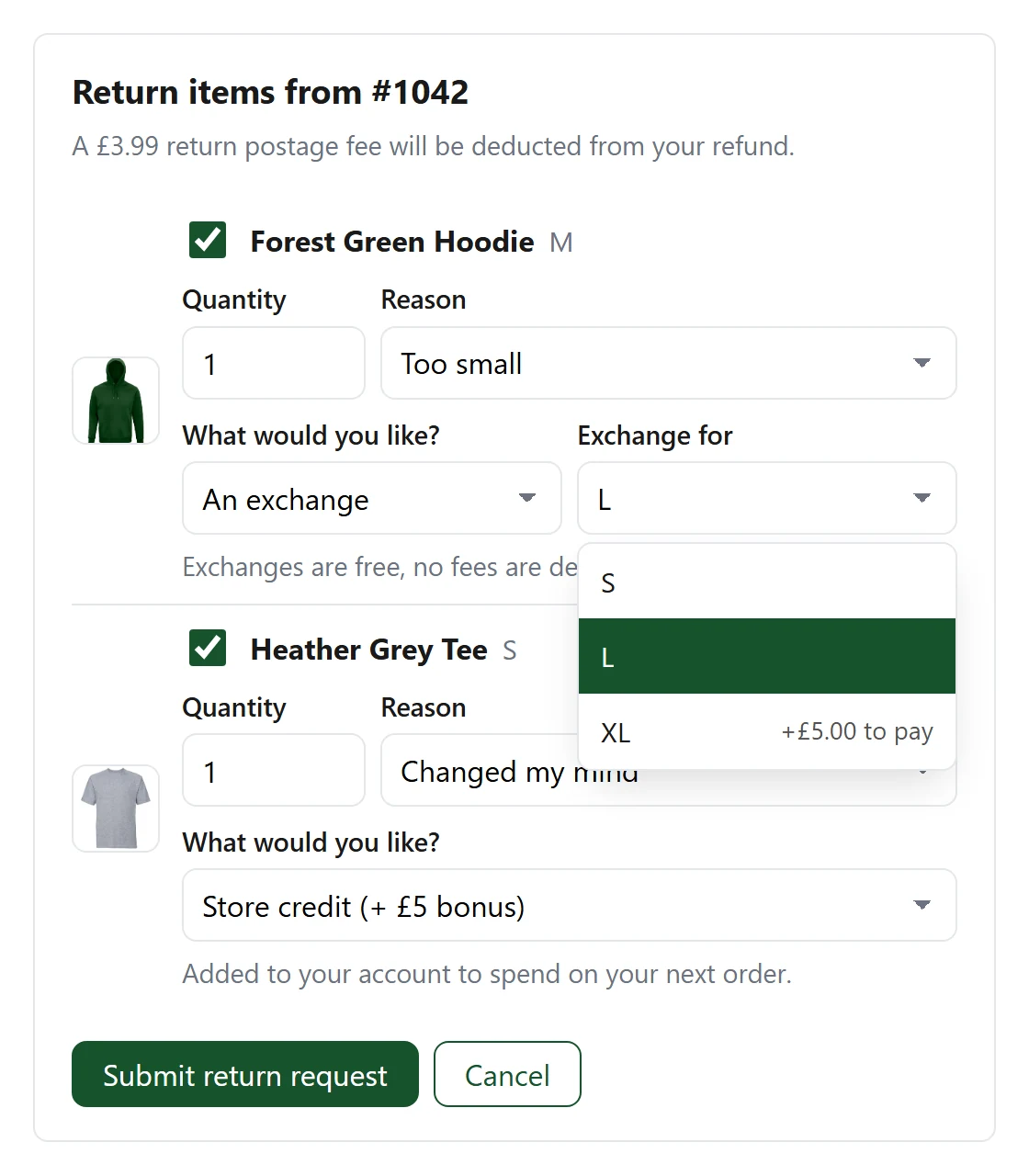
A returns page on your own storefront where customers swap for another size, colour or product, take store credit with a bonus, or ask for a refund. Signed in or not, they never leave your store.
- Exchanges, replacements, store credit or a refund
- Any price difference paid by Shopify invoice, a bonus for choosing credit
- Guest returns with an order number and email
- In 6 languages, added from the theme editor with no code
Automations
Rules that handle returns for you.
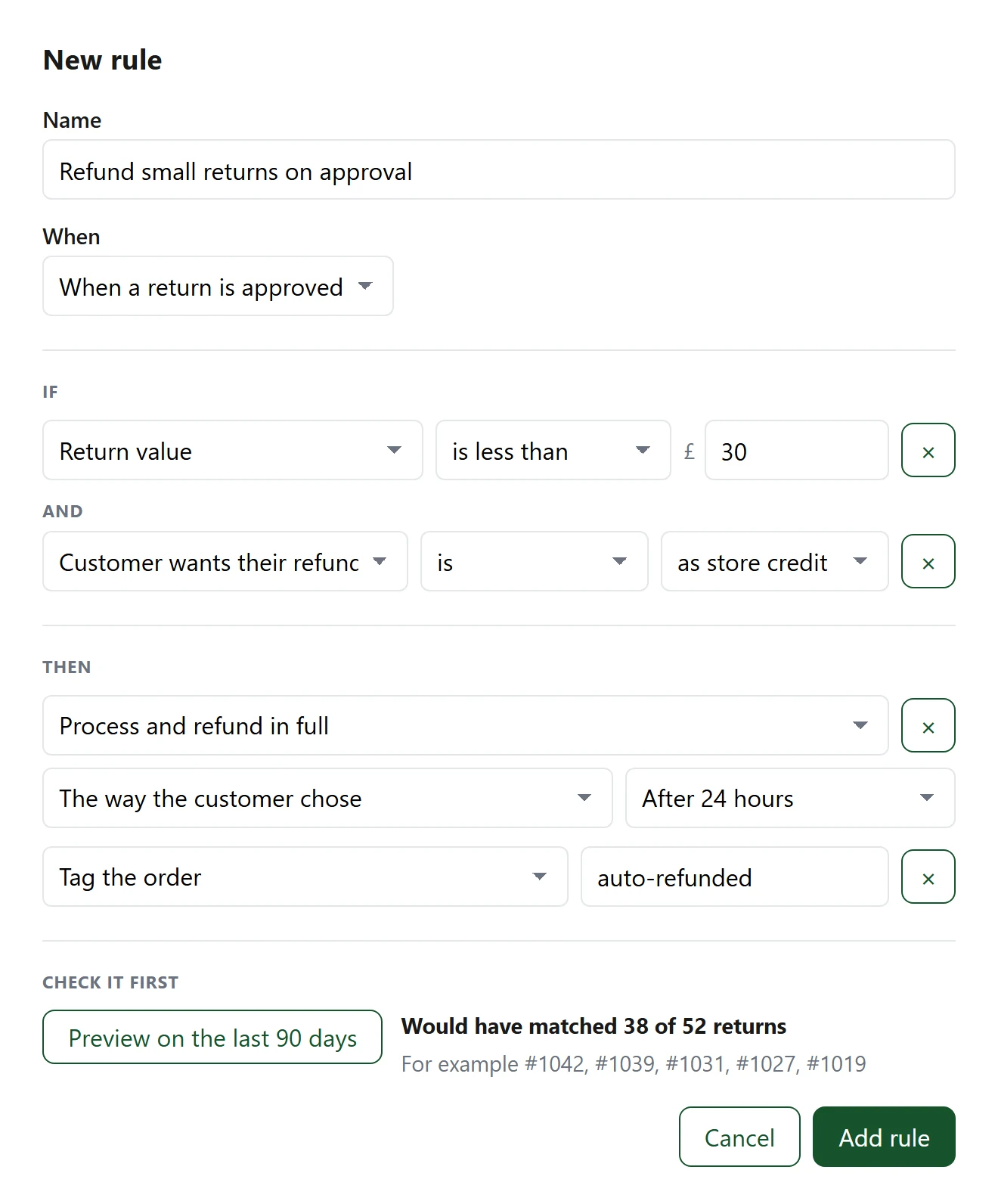
Simple If / Then rules approve, decline, hold or refund returns the moment they arrive, so you only look at the ones that need a person. Start from a ready-made template and try any rule in test mode first.
- Conditions on value, reason, product, customer and more
- Automatic refunds within the limits you set
- Hold anything suspicious for review
- Test mode shows what a rule would do before it goes live
Return rules
Your return policy, applied for you.
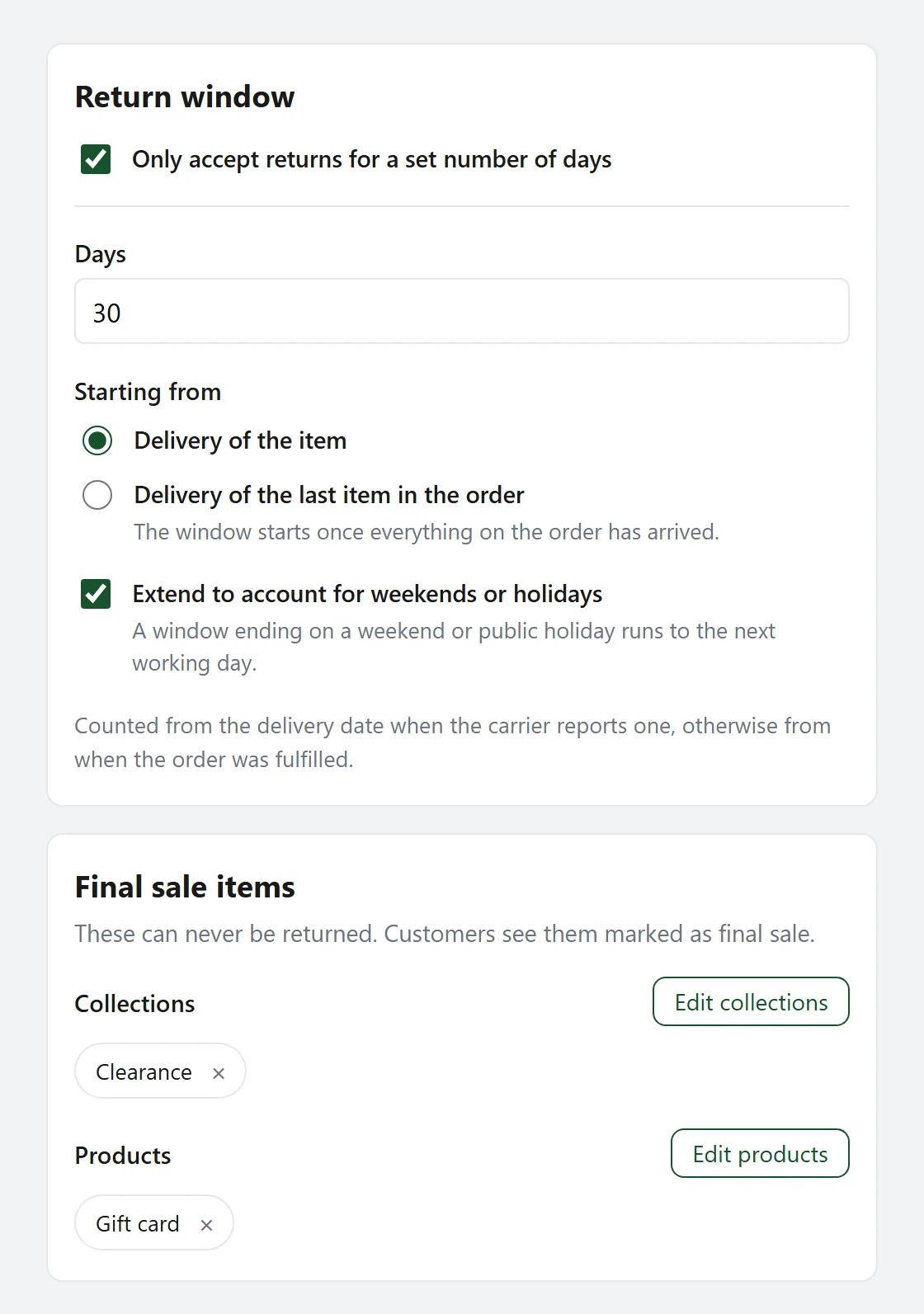
Set how long customers have to return, which items can't be returned and what returns cost. Customers only ever see items they can actually send back, with a clear return-by date.
- Return windows from delivery, extended for weekends and holidays
- Longer or shorter windows for chosen collections or products
- Final sale items that can't be returned
- Return shipping and restocking fees
Royal Mail
Labels, without the printer.
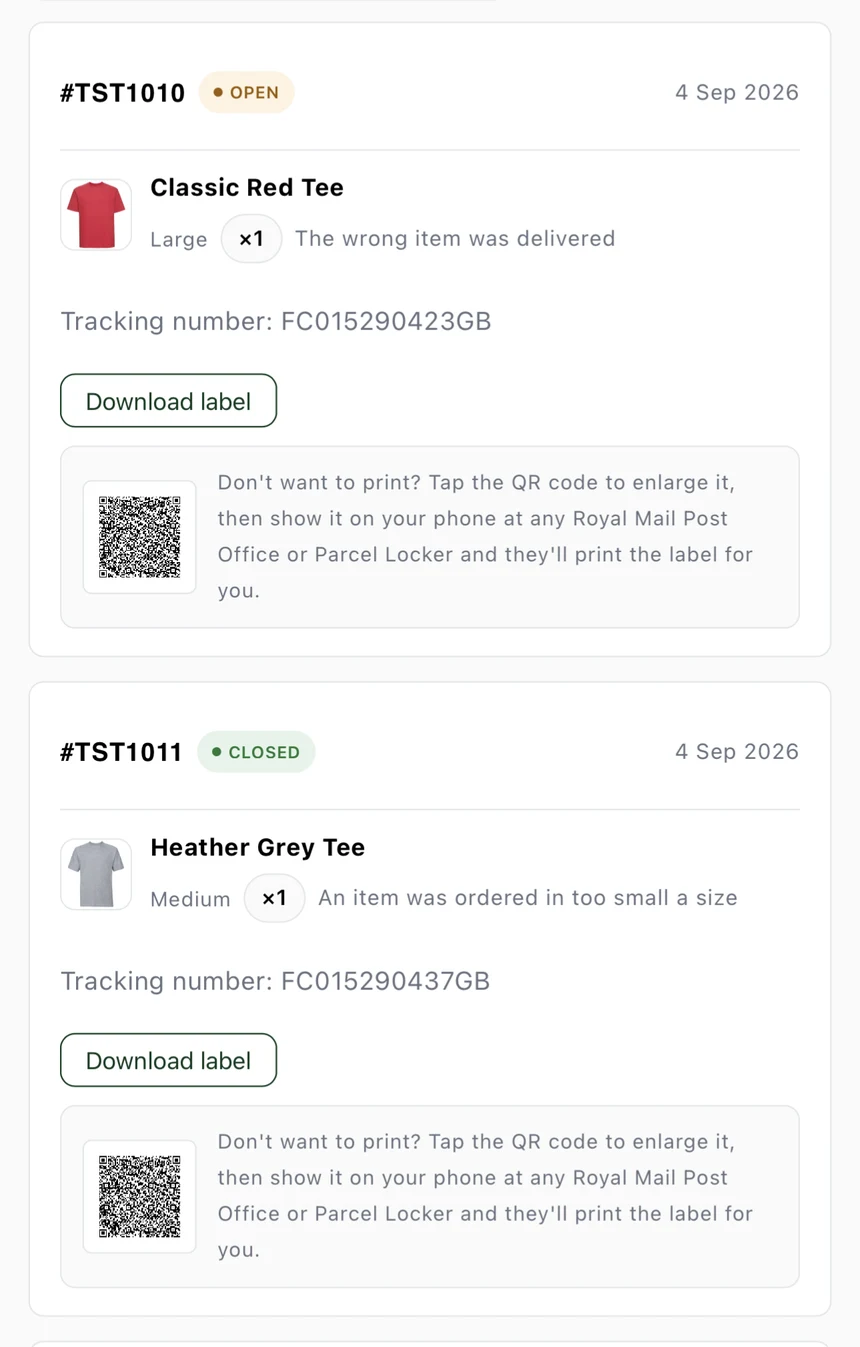
Approve a return and a Royal Mail return label is created automatically and sent in Shopify's own "return approved" email, with a verified fallback so a label is never silently lost. No printer? Customers can use the QR code at a Post Office instead.
- Labels created and sent automatically on approval
- QR code for customers without a printer
- Pause labels any time, without disconnecting
- Collect the return address, or use the order's own
For your warehouse
Process returns in one place.
When a parcel comes back, choose what goes back on the shelf, refund to the original payment or as store credit, and see the customer's photos, all without leaving the app. Every reason maps to the RMA code your warehouse or ERP already uses.
- Restock to the right location, or to several warehouses
- Refund to the original payment or as store credit
- Reasons in your own words, mapped to your RMA codes
Insights
See how much you keep.
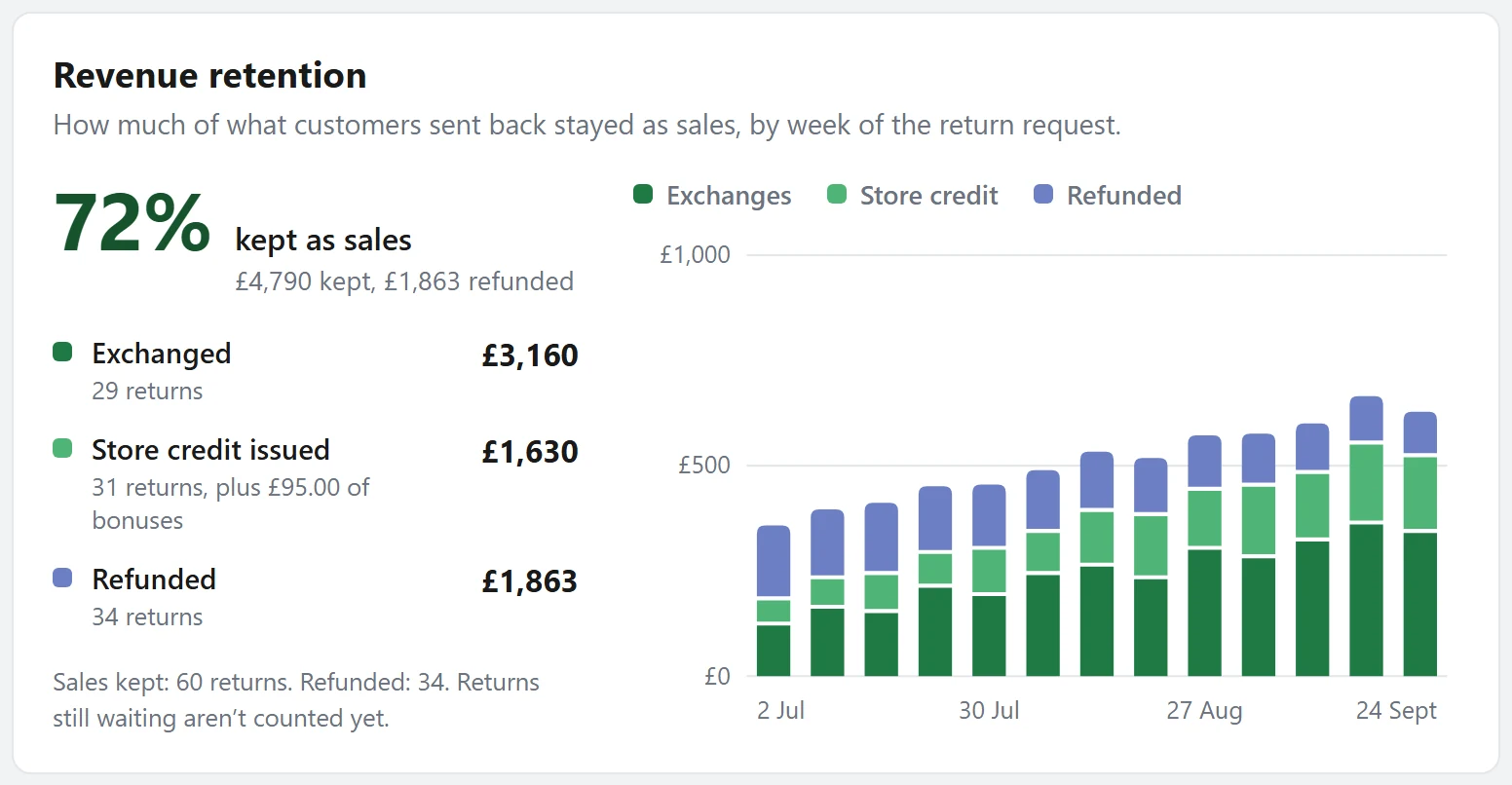
Revenue retention shows how much of what customers sent back stayed as sales, through exchanges and store credit, against what was refunded. Insights also show which products come back most and why.
- Kept as sales, week by week
- Top return reasons and most returned products
- Refunds, exchanges and store credit at a glance
Your dashboard
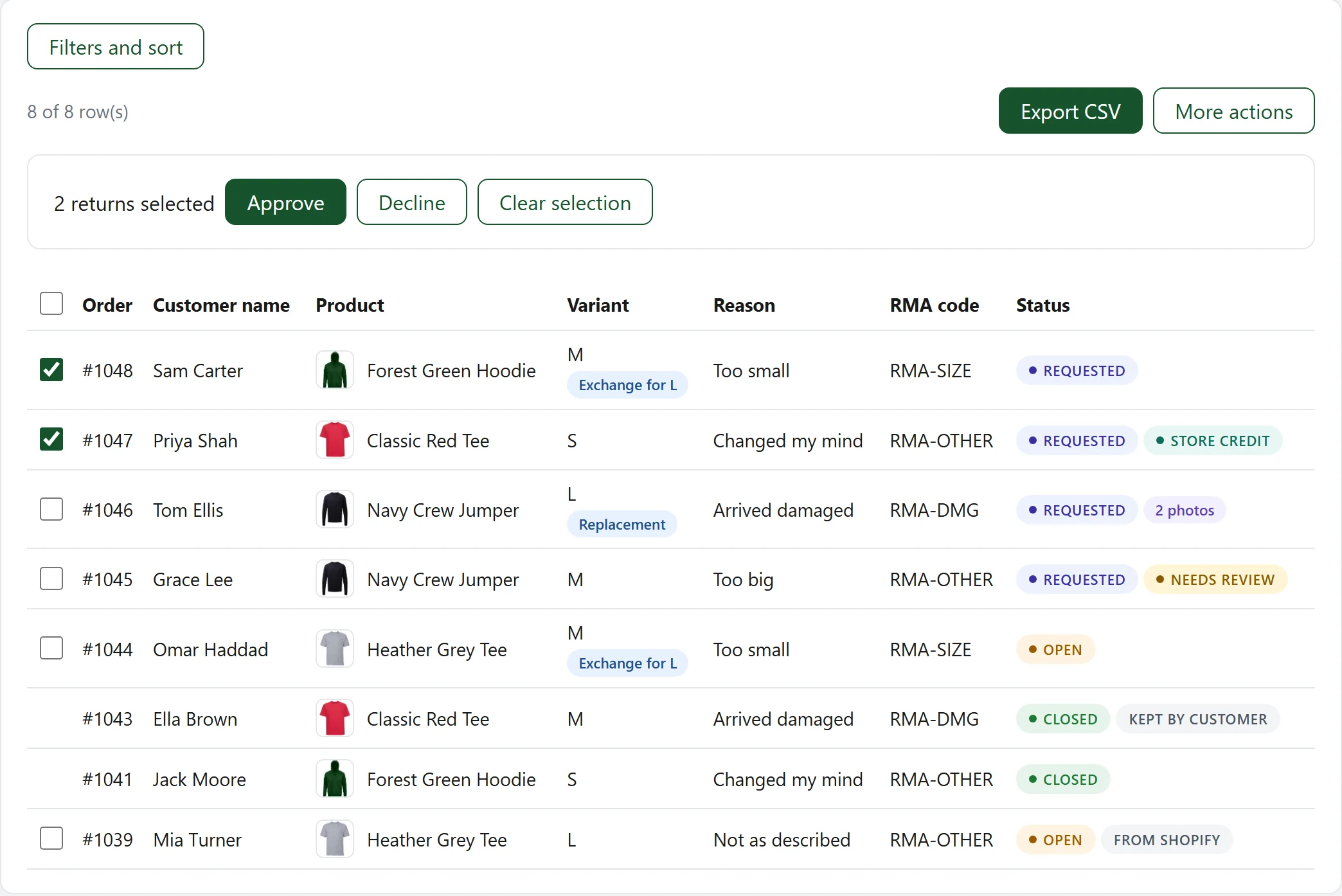
Every return, one dashboard.
Approve, decline or cancel returns without opening Shopify Admin, one at a time or in bulk. Returns made in Shopify show up here too. Build any filter you need, sort by any column, and save the views you use most or have them emailed to you on a schedule.
And there's more
Built for how returns actually work
Start with the essentials, then add exchanges, automations and tools for your team and systems as you grow.
Guest returns
Customers without an account find their order with its number and their email.
6 languages
The returns page in English, French, German, Spanish, Italian and Dutch.
Customer photos
Ask for photos on the reasons that need them, like arrived damaged.
Refunds without a return
Let customers keep low-value items and refund them anyway, by rule.
Serial returner protection
Hold or block returns from customers who return too often.
Multiple warehouses
Send returns to the right location, by country, collection or product.
Shopify Flow triggers
Start your own workflows when a return is requested, approved or refunded.
Staff roles
Give staff full access, approve and process only, or view only.
Returns API & webhooks
Feed every return into your ERP or warehouse system as it happens.
Custom report columns
Add SKU, vendor, order tags and more, then export every return as CSV or JSON.
Scheduled reports
Saved reports emailed as CSV on your schedule, in your timezone.
Your brand
Buttons, borders, text size and every status colour, with a live preview.
Getting started
Live in a few minutes
- 1
Install the app
Install from the Shopify App Store and start your free trial.
- 2
Add the block
Add the returns page to your theme from the Theme Customizer, no code required.
- 3
Set your rules
Add your return reasons and RMA codes, return window and final sale items.
- 4
Connect Royal Mail
Approved returns get a label and QR code automatically.
- 5
Turn on exchanges
Offer exchanges and store credit, and let automations handle the rest.
FAQ
Common questions
Ready to keep more of your sales?
Install AYD Returns & Exchanges from the Shopify App Store and start your 7-day free trial.

Setup help, bug reports or feature requests? Email [email protected]. It's checked directly, no tickets or bots in between.